
Apple displays · 3 October 2026
Studio Display vs Studio Display XDR: what does the extra $1,700 buy?
Both are 27-inch 5K Mac displays. The XDR adds mini-LED HDR, 120Hz and wider reference color; the standard Studio Display keeps the same camera, speakers and Thunderbolt 5 hub at a much lower launch price.
By WannabeShepherd · · Manufacturer-specification guide
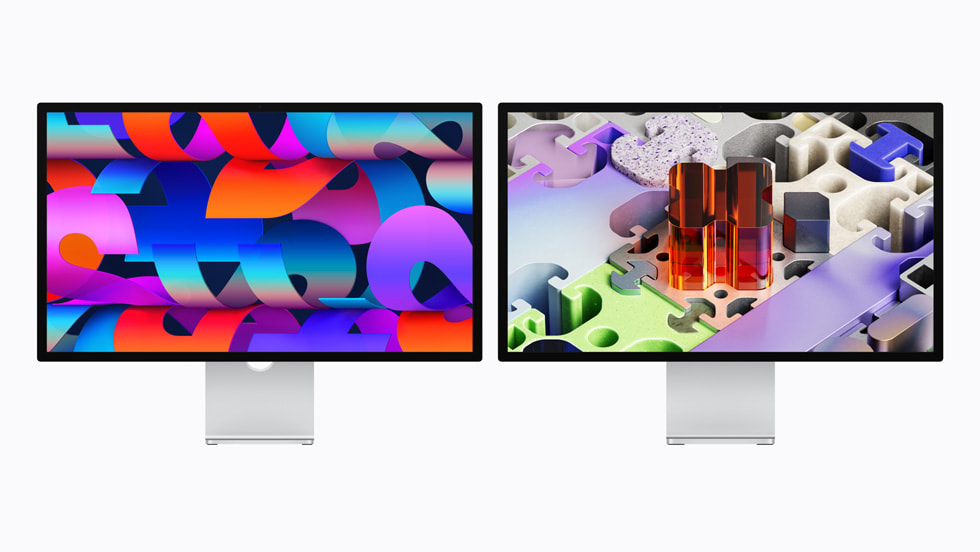
For most Mac desks, start with the standard Studio Display
Choose Studio Display for a 27-inch 5K workspace, 600-nit SDR picture, a 12MP Center Stage camera, six speakers, microphones and Thunderbolt 5 docking. Choose Studio Display XDR when HDR mastering, 120Hz motion, higher SDR brightness, Adobe RGB or its reference modes solve a real work need. At Apple’s U.S. launch starting prices, the XDR is $1,700 more.
This is a source-based buying guide, not a hands-on review. I have not tested either 2026 display. Specifications and Apple’s U.S. launch prices below come from Apple’s newsroom and support pages checked on 3 October 2026. Retail prices, configuration costs and availability can change.
As an Amazon Associate I earn from qualifying purchases.
Browse the curated 5K, 6K & OLED monitor list on Amazon ↗
Paid Amazon list link; confirm the exact monitor model, stand, seller and delivery details.
| What changes | Studio Display (2026) | Studio Display XDR (2026) |
|---|---|---|
| Price | $1,599 U.S. launch | $3,299 U.S. launch |
| Screen | 27-inch 5K Retina | 27-inch 5K Retina XDR, mini-LED, 2,304 dimming zones |
| Nits | 600 | Up to 1,000 SDR; 2,000 peak HDR |
| Refresh rate | 60Hz | 120Hz with Adaptive Sync |
| Color | P3 wide color | P3 and Adobe RGB, plus HDR and design/print reference modes |
| Camera & ports | 12MP Center Stage, Desk View, three mics, six speakers, Thunderbolt 5 | Same camera and audio system; Thunderbolt 5, two USB-C ports |
| Stand in the base configuration | Tilt-adjustable; height-adjustable and VESA configurations are options | Tilt- and height-adjustable stand included; VESA configuration available |
| Mac refresh | Check Apple’s current compatibility details for your Mac | Apple says M1, M1 Pro/Max/Ultra, M2 and M3 Macs support it up to 60Hz |
Starting prices are not a like-for-like quote: glass, stand, tax and retailer pricing affect the final total. Compare the configuration you would actually use.
What the XDR premium is buying
The XDR’s clearest separation is its backlight and motion. Apple lists 2,304 mini-LED dimming zones, up to 1,000 nits for SDR, 2,000 nits peak for HDR, a 1,000,000:1 contrast ratio and 120Hz Adaptive Sync. If you finish HDR video, grade color or need fast motion and deep local contrast, those are practical reasons to assess the XDR in person.
The reference options also target work with explicit color requirements: Apple lists P3 and Adobe RGB modes, plus presets for HDR video, photography, design and print. Those specifications do not establish how either display performs in your lighting or calibrated workflow. If color accuracy is a purchase requirement, compare independent measurements and your own reference material before spending.
What stays the same on the less expensive display
The standard Studio Display is still a high-resolution 27-inch 5K screen. Apple’s 2026 model adds Thunderbolt 5 and keeps the integrated 12MP Center Stage camera with Desk View, three-microphone array and six-speaker system. It can charge a connected MacBook at up to 96W, according to Apple’s launch announcement.
For writing, web work, coding, calls, music production and SDR photo edits, the standard model’s shared camera, audio and Mac-hub functions may matter more day to day than the XDR’s HDR ceiling. That is a needs-based recommendation from published specs; I have not tested the screens side by side.
Check your Mac before choosing XDR
The “120Hz” label does not mean every compatible Mac drives the XDR at 120Hz. Apple’s current support page says Studio Display XDR requires an Apple-silicon Mac running macOS Tahoe 26.3.1 or later. It lists MacBook Pro models from 2021, MacBook Air from 2020/2023 depending on size, Mac mini from 2020, Mac Studio from 2022, Mac Pro from 2023 and 24-inch iMac from 2021.
Apple also says Macs with M1, M1 Pro, M1 Max, M1 Ultra, M2 and M3 support Studio Display XDR at up to 60Hz. Read the compatibility page for your exact computer and operating system before paying for the high-refresh model. The monitor’s maximum specification and your Mac’s output capability are separate checks.
A simple buying rule
- Pick Studio Display if you want a sharp 5K Mac desk, great integrated calls and speakers, and do not have a defined need for HDR reference work or 120Hz.
- Consider Studio Display XDR if your work benefits directly from mini-LED HDR, Adobe RGB reference modes, higher brightness or smoother motion—and your Mac can drive the refresh rate you want.
- Compare the stand option before treating the entire $1,700 difference as display cost: the XDR includes height adjustment, while Studio Display configurations vary.
- Do not buy from the product name alone: verify display generation, glass, stand, retailer and return terms on the current listing.
Questions to check before buying
Is Studio Display XDR worth $1,700 more?
At Apple’s U.S. launch starting prices, the difference is $1,700. It is easiest to justify when you need the mini-LED HDR, 120Hz motion, Adobe RGB modes or bundled height-adjustable stand. Ordinary Mac work may not use those features.
Are both 2026 Apple displays 5K?
Yes. Both are 27-inch 5K displays. The XDR adds mini-LED local dimming, higher brightness, HDR reference modes, Adobe RGB and 120Hz Adaptive Sync.
Will an M3 Mac get 120Hz on the XDR?
Apple says Macs with M3 support Studio Display XDR at up to 60Hz. Check Apple’s current compatibility list and your precise Mac configuration before ordering.
Manufacturer details and current listings
Use Apple’s current technical pages for the latest compatibility, configuration and support details. The Amazon buttons above open searches, not verified single-variant listings.
- Apple’s 2026 Studio Display and Studio Display XDR announcement
- Studio Display XDR technical specifications and Mac compatibility
- Studio Display technical specifications
- Browse the premium display shortlist for researched monitor alternatives.
Paid Amazon links. As an Amazon Associate I earn from qualifying purchases.