
6K Mac monitor comparison
ASUS PA32QCV vs Dell U3224KB: which 6K monitor fits your Mac desk?
Compare the two 31.5-inch 6K monitors: text workspace, Thunderbolt charging, speakers, webcam, Ethernet and the cost of a complete Mac desk.
By WannabeShepherd ·
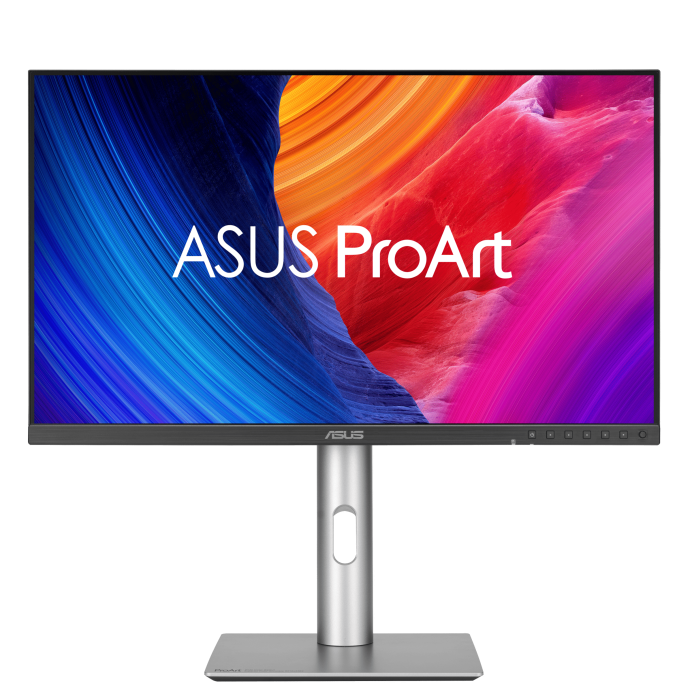
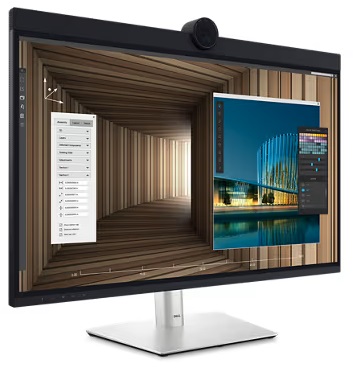
Start with the equipment already on your desk
If the ASUS costs less in your market and you already have a webcam, speakers and the ports you need, it is the simpler shortlist. The Dell becomes more interesting when its integrated conferencing hardware and Ethernet replace equipment you would otherwise buy. Compare the delivered total, rather than paying more for features you already own.
This is a specification-based comparison, checked on 11 October 2026. I have not tested either monitor. Pixel-workspace figures below are calculations, not a claim that every Mac exposes those modes. Amazon links are paid affiliate links; as an Amazon Associate I earn from qualifying purchases.
As an Amazon Associate I earn from qualifying purchases.
| Feature | ASUS PA32QCV | Dell U3224KB |
|---|---|---|
| Viewable diagonal | 31.5 inches | 31.5 inches (marketed as 32) |
| Resolution and maximum refresh | 6016 × 3384; 60Hz | 6144 × 3456; 60Hz |
| Exact 2× logical workspace (calculated) | 3008 × 1692 | 3072 × 1728 |
| Manufacturer PPI | 218 | 223 |
| Panel | IPS; anti-glare, low-reflection | IPS Black; anti-glare |
| Thunderbolt upstream power | Up to 96W | Up to 140W EPR |
| Speakers | 2 × 2W | 2 × 14W |
| Webcam and microphones | Not listed in specifications | 8MP camera; two array microphones |
| Network port | No Ethernet listed | 2.5GbE |
| USB downstream hub | 2 USB-A; 1 USB-C (Gen 1) | 5 USB-A; 2 USB-C (Gen 2) |
| Other video inputs | DisplayPort 1.4 DSC; HDMI 2.1 FRL | Mini DisplayPort; HDMI, with 6K/60Hz support |
| Stand and mounting | Height, tilt, swivel, pivot; VESA 100 × 100 | Height, tilt, swivel, pivot; VESA 100 × 100 |
Both give you a dense 6K desktop
Halving each resolution dimension gives the exact 2× workspace in the table. Dell adds 64 logical pixels horizontally and 36 vertically: about 4.3% more logical pixel area. That is useful context, but a small difference beside the cost and connection requirements.
The pixel counts and nominal diagonal yield about 219 PPI for ASUS and 224 for Dell when rounded. Their published values are 218 and 223. These are different calculation conventions, not different resolution options. For the broader choice, see the high-PPI Mac monitor guide.
A high pixel density alone does not guarantee a particular macOS scaling mode. Check the exact Mac, cable and input. Both displays top out at 60Hz; choose another category if high refresh is your priority.
When the Dell extras are worth paying for
List the things you would actually remove from your desk: webcam, speakers, USB hub and Ethernet adapter. Compare their replacement cost with the price gap between the two monitors. If you prefer the equipment you already own, its replacement value to you is effectively zero.
Speaker wattage and camera resolution are specification comparisons. They do not establish sound quality, microphone performance or image quality in a dim room. Those need hands-on testing.
Mac mini and MacBook buyers need different comparisons
A Mac mini uses its own power supply, so the monitor’s laptop-charging output does not save you a charger. Compare the display, hub and conferencing features first.
For a MacBook, the higher advertised ceiling is relevant only if the host and cable support the required charging profile. Do not assume that a 140W-labelled port charges every MacBook at 140W. Dell’s EPR guidance explains the requirements.
If you plan to connect by HDMI or DisplayPort, account for a separate USB upstream connection for hub functions. Daisy-chain support is not a promise of two native 6K displays over one cable. Check the Mac’s display limits and the monitor documentation for the complete chain.
Compare the exact offer on Amazon
The ASUS button opens an exact PA32QCV product listing; still check the selected configuration and seller. The Dell button searches for U3224KB because the offer I checked was a monitor bundle with an additional protection plan, not a verified standalone-monitor listing.
Do not substitute U3225QE: that is a different 4K/120Hz model. On 11 October, the U3224KB protection-plan bundle I opened was unavailable for the delivery destination in my session. That does not establish stock for every country or seller.
Before buying, check new versus renewed condition, included stand and cable, seller, warranty, returns, shipping and tax. A protection-plan bundle is a different offer from the monitor alone. I have not verified two simultaneously orderable, delivered prices, so this article does not claim a current price winner.
A short buying checklist
Write down your maximum delivered budget, the Mac model and the ports you need. Then compare two exact offers with the same condition and comparable warranty.
If your camera and audio setup is already sorted, shortlist the ASUS when its delivered price is lower. If you need an integrated desk for frequent calls, calculate what the Dell extras replace before deciding. If neither fits your budget, use the 5K and 6K monitor catalogue to compare smaller 5K options.
Sources and further reading
This guide uses the following manufacturer references and primary sources.
Common questions
Is the Dell U3224KB a 120Hz monitor?
No. Its native 6144 × 3456 resolution is specified at 60Hz. U3225QE is a different model.
Does 140W charging help a Mac mini?
No. A Mac mini uses its own power supply. Laptop USB-C charging output is not a reason to pay more for its monitor.
As an Amazon Associate I earn from qualifying purchases.