
Mac setup
Keychron M7 on Mac: glass tracking, side buttons and daily use
What worked with the M7 8K on my Mac, what needed extra setup, and what I would check before buying it for Photoshop or everyday work.
By WannabeShepherd ·
A comfortable Mac mouse, with one setup caveat
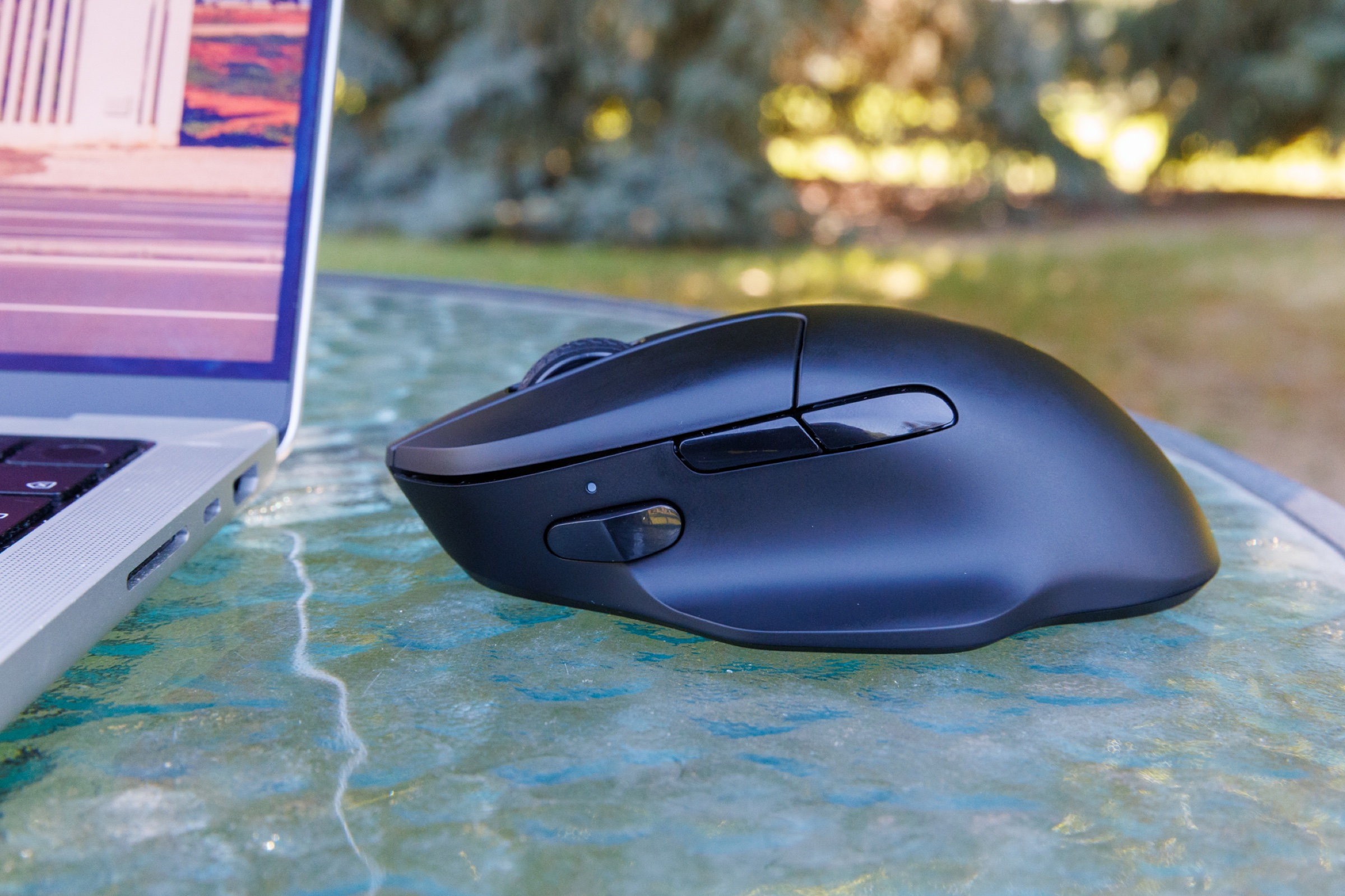
The M7 8K suited my medium-sized hand and palm grip, and its measured 67-gram weight made long Photoshop sessions comfortable. Bluetooth and tracking were reliable in my use. The catch: Back and Forward worked in Chrome, but I needed extra configuration for Safari and Finder.
This guide is drawn from my original one-week M7 8K review: black, PixArt 3950 sensor, mainly Bluetooth on Mac with occasional 2.4 GHz Windows gaming. It is not a latency benchmark or a test of the standard M7. Keychron supplied the review sample.
As an Amazon Associate I earn from qualifying purchases.
Does the M7 work with a Mac?
In my use, yes. Bluetooth pairing was quick, macOS displayed the remaining battery level, and the connection stayed stable through browsing, photo editing and everyday work. I spent roughly 90% of my time on Bluetooth and 10% on the receiver.
That makes Bluetooth a reasonable starting point for my desk work, but it does not say anything about achieving the mouse's highest polling rate. I did not measure latency or prove that 8K polling improves Photoshop performance.
Do Back and Forward work in Safari and Finder?
Not out of the box in my configuration. The default buttons worked in Chrome, while Safari and Finder needed manual setup. On Windows they worked normally without that extra step.
I already used BetterTouchTool, so I assigned the buttons there. In Photoshop I mapped them to the Clone Stamp Tool and Spot Healing Brush, which let me switch retouching tools with my thumb. That is the setup I used, not a claim that everyone needs this particular app or that I tested every alternative.
Will it track on glass?
My 8K unit tracked reliably on my glass table, as well as on the wooden desk and Keychron Desk Mat. I did not see cursor jumps or strange movement after lifting and repositioning it. The glass result was useful because I want to carry the mouse with my MacBook.
Glass surfaces vary, and this was one table, not a survey of different glass types. The result also belongs to the PixArt 3950 review unit. I would not transfer it to the standard M7's different sensor without testing that version.
Comfort matters more than the headline number
The low weight did not come with a tiny shape. The fuller rear supported my palm better than the shorter mice I had tried, and small Photoshop corrections felt easy. That remains a personal fit observation: my medium-sized hand and palm grip may not match yours.
The main clicks are crisp but audible, so this would not be my choice for a silent workspace. There is no receiver storage or mouse pouch. For a MacBook bag, I would keep the receiver and adapters in a small organizer instead of leaving them loose.
Check the version before ordering
My test unit is the M7 8K with a PixArt 3950 sensor. The Amazon listing linked here is the standard 1,000 Hz M7 with a 3395 sensor and an advertised 63-gram weight. It is a related option, not the product I measured at 67 grams.
For Mac productivity, I would choose based on fit, buttons and the connection I will actually use, not an assumed benefit from a polling-rate label. If your priority is replicating the glass-tracking result or buying exactly what I tested, confirm the 8K / 3950 specification in the selected listing before paying.
As an Amazon Associate I earn from qualifying purchases.
The original review
Keychron M7 8K Wireless Mouse
A week on Mac and Windows: measured 67g weight, glass tracking, and a clear explanation of what the 8K polling claim does and does not prove.
Read review