
Apple desktops · 2026 buying guide
Mac mini M6 vs M5 Pro vs Mac Studio: which Mac desktop fits your work?
Apple’s 2026 desktop range now spans an $899 compact Mac and a $5,499 workstation. Here is the practical dividing line between the Mac mini M6, M5 Pro mini, and Mac Studio with M5 Max or M5 Ultra.
By WannabeShepherd · Updated · Manufacturer-specification guide
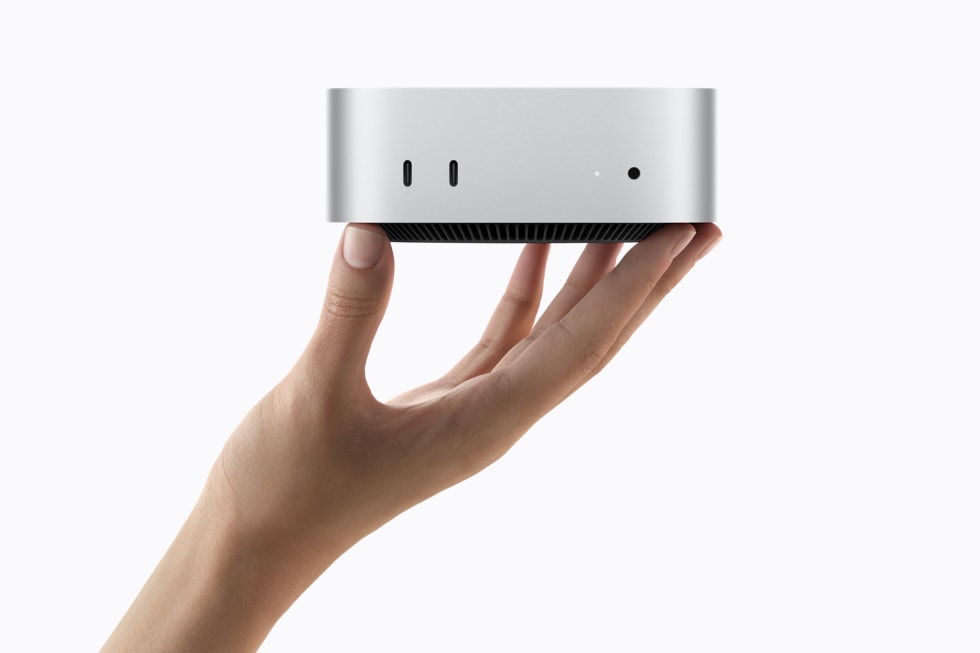
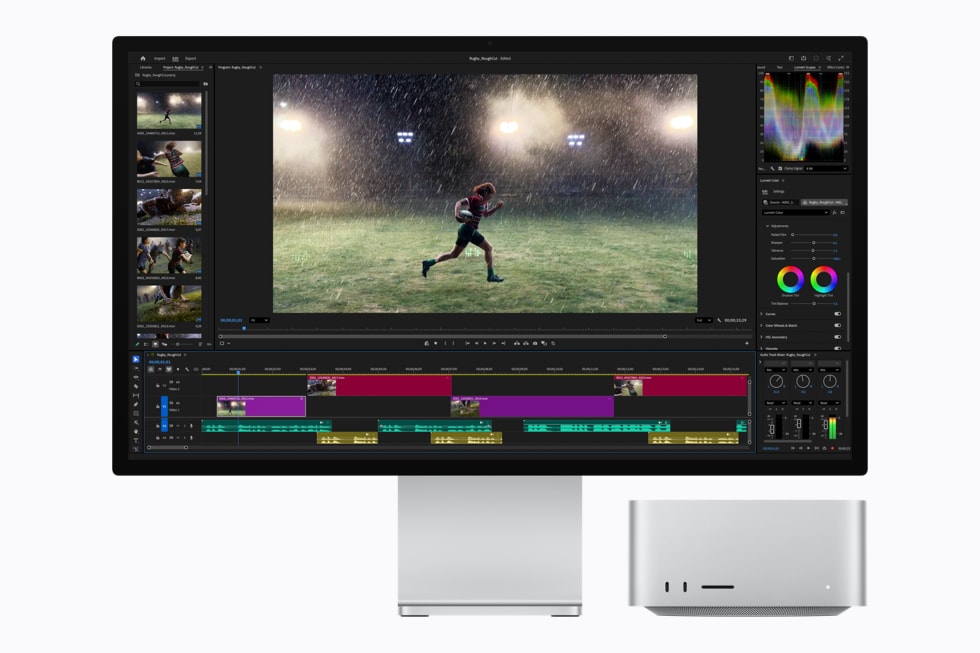
Start with the Mac Studio vs Mac mini: start with M6 and move up for a clear workload reason
Mac mini M6 fits everyday desktop work, study, coding and moderate creative projects. Mac mini M5 Pro makes sense when more CPU/GPU capacity, memory, Thunderbolt 5 or faster multi-display connectivity will be used. Mac Studio M5 Max is for demanding graphics, video, local AI or extensive I/O. M5 Ultra is a specialist choice for work that can use its much larger memory and compute ceiling.
I have not tested these 2026 desktops. This guide compares Apple’s published specifications and U.S. launch starting prices, checked on 3 October 2026. Apple’s benchmark claims use selected workloads and configurations; they do not predict every app’s performance. Retail prices and availability change.
As an Amazon Associate I earn from qualifying purchases.
| Desktop | U.S. launch from | Starting memory | Published maximum / useful distinction |
|---|---|---|---|
| Mac mini M6 | $899 | 16GB | Up to 32GB; Thunderbolt 4; up to three external displays |
| Mac mini M5 Pro | $1,699 | 24GB | Up to 64GB; Thunderbolt 5; up to three external displays |
| Mac Studio M5 Max | $2,499 | 36GB | Up to 128GB; Thunderbolt 5; up to five external displays |
| Mac Studio M5 Ultra | $5,499 | 96GB | Up to 512GB; 1.2TB/s memory bandwidth; up to eight external displays |
These are U.S. launch starting prices, not a live Amazon quote. Configure-to-order memory, storage, display accessories, tax and regional pricing can change the total.
Mac mini M6: the default desktop for most desks
The M6 mini starts with a 12-core CPU, 12-core GPU, 16GB unified memory and a 256GB SSD. Apple lists options up to 32GB memory and 2TB storage. It has three Thunderbolt 4 ports, HDMI, two front USB-C ports and support for up to three external displays in specified resolution and refresh combinations.
For a typical home or office setup, the M6 mini offers the broadest value: email, browser tabs, office apps, development, photo work and occasional video editing do not by themselves call for a Studio. If your workload fits comfortably in 16GB, that base memory may be enough; if you keep many demanding apps open or work with large media, consider the 24GB or 32GB configuration before buying.
Mac mini M5 Pro: buy the headroom you can explain
The M5 Pro configuration starts at $1,699 with 24GB unified memory and 512GB SSD, and can be configured up to 64GB. Apple lists a 15-core CPU and 16-core GPU for the starting chip, with an option for an 18-core CPU and 20-core GPU. It adds Thunderbolt 5 and supports up to three external displays, with higher refresh-rate combinations than the M6 mini in some setups.
This is the useful middle tier for developers compiling larger projects, video editors, audio producers and 3D users who need more sustained capacity or faster I/O but do not need Mac Studio’s chassis and expansion. The $800 launch-price gap over M6 should buy something measurable in your workflow: memory headroom, ports, display modes or reduced render/compile time.
Mac Studio M5 Max: pro I/O and graphics without going Ultra
Mac Studio M5 Max starts at $2,499 with 36GB memory and 512GB SSD. Configure-to-order options include up to 128GB memory, 8TB storage and a 40-core GPU. Apple lists Thunderbolt 5, an SDXC card slot, front ports, and support for up to five external displays. It is the more suitable desktop when projects regularly stress GPU, media engines, memory or a dense peripheral setup.
It is still worth pricing a higher-memory M5 Pro mini against a base Studio. The mini may meet the need for a smaller, quieter and lower-cost desk; Studio’s greater display support and I/O matter only if you will use them.
Mac Studio M5 Ultra: for workloads that use the ceiling
M5 Ultra starts at $5,499 with 96GB unified memory and a 1TB SSD. Apple lists configurations up to 36 CPU cores, 80 GPU cores, 512GB memory and 16TB storage. That ceiling can matter for large on-device models, complex 3D scenes, high-resolution effects work or multiple concurrent video streams. It is excessive for ordinary office use, web browsing and most single-camera editing.
Apple says the 512GB memory configuration is expected in late October 2026. Confirm availability and the exact configuration on Apple’s current page before planning around it.
Already have a Mac mini M4? Look for a bottleneck first
A working M4 is not automatically obsolete because a new generation launched. Upgrade when you can point to a recurring limit: memory pressure, a display setup the M4 cannot drive, storage or I/O constraints, or a compile/render time that costs you enough to justify the replacement. Apple advertises up to 4x faster AI performance for selected M6-vs-M4 tests; that does not mean general apps will run four times faster. If the M4 already does your work comfortably, waiting is a reasonable option.
Quick decision
- Choose Mac mini M6 for everyday work, study, most home desks and a strong-value compact desktop.
- Choose Mac mini M5 Pro for a genuine need for more memory, CPU/GPU capacity, Thunderbolt 5 or demanding creative work in the mini footprint.
- Choose Mac Studio M5 Max for sustained pro graphics/video workloads, many displays, extra I/O or up to 128GB memory.
- Choose Mac Studio M5 Ultra only when the workload can use its 256–512GB memory options, high bandwidth and expanded compute.
- Keep a capable M4 if the new models do not remove a real bottleneck.
Questions people ask before choosing
Which 2026 Mac desktop is best for most people?
Start with the Mac mini M6. It has the lowest launch price and should cover everyday desktop tasks, study, coding and moderate creative work. Move up if you need more memory, performance, displays or expansion.
Is Mac mini M5 Pro faster than Mac Studio M5 Max?
They are different configurations aimed at different limits. M5 Pro mini brings more capacity than M6 and Thunderbolt 5 in the compact mini. M5 Max Studio adds a higher graphics and memory ceiling, more display support and a broader port layout. Compare the specific memory, GPU and I/O you need rather than treating the chip names as a single ranking.
Does the Mac mini M6 support three monitors?
Yes, Apple lists up to three external displays, with supported combinations depending on resolution and refresh rate. Check the current technical specification for your exact screens.
Is Apple’s “4x faster AI” result a general speed claim?
No. It refers to selected tests described by Apple, including specific AI software and hardware. It does not promise that every AI app or everyday task will be four times faster.
Apple’s specifications and buying links
Use Apple’s pages for current configurations, compatibility and exact ports. Amazon buttons above open search results rather than verified individual ASINs; confirm year, chip, memory, SSD, seller and return terms in the live listing.
- Apple: the new Mac mini and Mac Studio are available
- Apple Mac mini M6 and M5 Pro technical specifications
- Apple Mac Studio M5 Max and M5 Ultra technical specifications
- Compare premium monitors for a Mac desk
- See the Mac mini M4 used in my current setup
Paid Amazon links. As an Amazon Associate I earn from qualifying purchases.