
MacBook Pro · 2026 buying guide
MacBook Pro M5 Pro vs M5 Max: which one should you buy?
M5 Max is the faster graphics and memory tier, but it starts $1,200–$1,400 above the same-size M5 Pro. For most people choosing a MacBook Pro, M5 Pro is the practical starting point; Max earns its price when a demanding workload can use the extra GPU, memory bandwidth or media engines.
By WannabeShepherd · · Manufacturer-specification guide
Start with M5 Pro. Buy M5 Max for a measured reason.
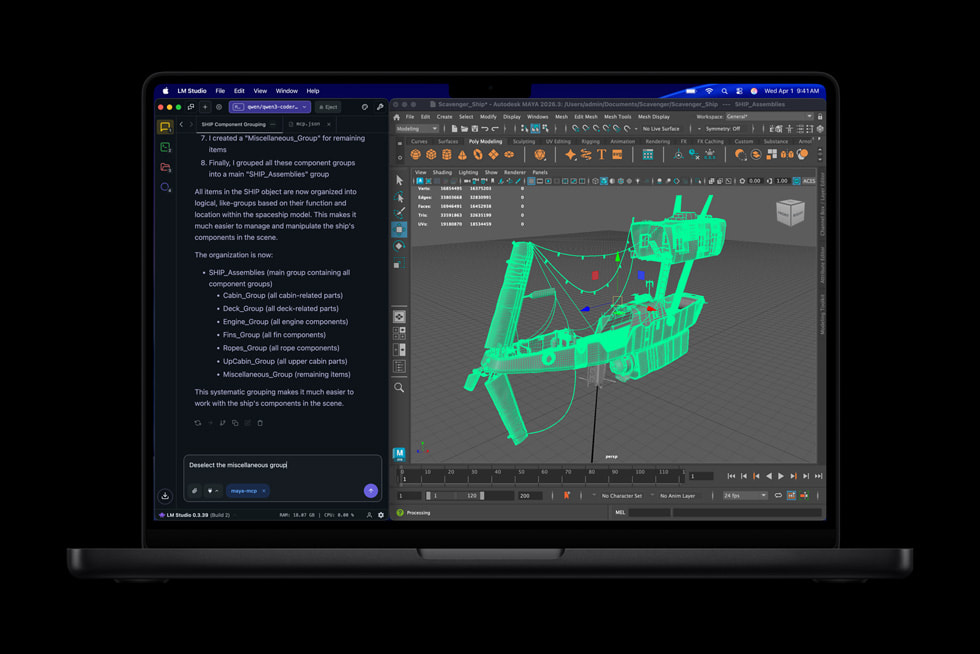
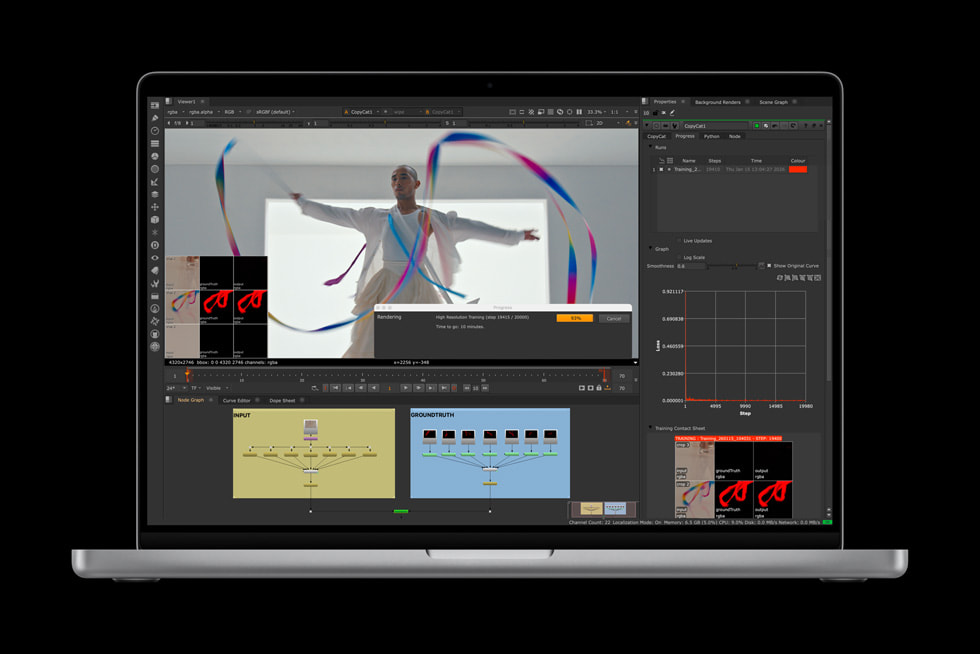
Choose M5 Pro for software development, photography, audio work, and video projects that fit its GPU and memory ceiling. Choose M5 Max when you routinely render complex 3D scenes, process heavy video effects, run larger local models, or need up to 128GB of unified memory. The chip name alone is not a reason to spend more: first identify the resource your workflow is actually using.
I have not tested these 2026 MacBook Pro models. This guide uses Apple’s technical specifications and U.S. launch prices, checked 3 October 2026. Performance examples are manufacturer claims from selected configurations and applications; real results vary by project, app, memory and settings. Current retailer prices and stock can differ.
As an Amazon Associate I earn from qualifying purchases.
| Configuration | Launch price | Starting memory / SSD | Published ceiling |
|---|---|---|---|
| 14-inch M5 Pro | $2,199 | 24GB / 1TB | 64GB memory; 20-core GPU |
| 14-inch M5 Max | $3,599 | 36GB / 2TB | 128GB memory; 40-core GPU |
| 16-inch M5 Pro | $2,699 | 24GB / 1TB | 64GB memory; 20-core GPU |
| 16-inch M5 Max | $3,899 | 36GB / 2TB | 128GB memory; 40-core GPU |
Prices are Apple’s U.S. launch starting prices, not current offers. Configuration choices and regional prices vary. The M5 Pro to Max launch-price step is $1,400 on 14-inch and $1,200 on 16-inch models.
What actually changes from Pro to Max?
Both chips use an 18-core CPU in the comparable configurations, so a Max label does not automatically mean a large CPU advantage. The more visible differences are the GPU: M5 Pro has a 20-core option, while M5 Max offers 32- or 40-core GPUs. Apple lists up to 307GB/s memory bandwidth for Pro, 460GB/s for the 32-core Max and 614GB/s for the 40-core Max. Both have Neural Accelerators in each GPU core.
M5 Max also raises the unified-memory ceiling from 64GB to 128GB and adds media-engine capacity, including two video encode engines and two ProRes encode/decode engines in Apple’s specifications. These matter most when an app can keep a large project in memory or parallelize work across the GPU and media engines. They do little for light office work, browsing or tasks limited elsewhere.
14-inch: compact workstation, with an expensive Max step
The 14-inch M5 Pro begins with a 15-core CPU and 16-core GPU, 24GB memory and 1TB SSD; a stronger Pro option has an 18-core CPU and 20-core GPU. M5 Max starts with a 32-core GPU and 36GB memory, and can be configured with a 40-core GPU and up to 128GB. Apple lists up to 22 hours of video streaming for M5 Pro and up to 20 hours for M5 Max under its test conditions.
For a portable editing, development or design machine, the Pro model is a strong default. Max is easier to justify if you need the 128GB option, do GPU-heavy work away from a desk, or depend on the extra media engines. If the laptop mostly stays connected to a dock and sustained heavy compute is routine, compare it with a desktop such as Mac mini M5 Pro and Mac Studio before paying for a mobile Max configuration.
16-inch: more workspace and battery, same chip decision
The 16-inch versions start with the 18-core CPU / 20-core GPU M5 Pro, or M5 Max with a 32-core GPU. The bigger display provides more room for timelines, code and side-by-side windows; the chassis also has a larger battery. Apple rates the 16-inch M5 Pro for up to 24 hours of video streaming and M5 Max for up to 22 hours, using its specified test conditions. Real battery life depends on workload, brightness and configuration.
If you do not need Max’s GPU or memory, the 16-inch M5 Pro keeps the larger screen while saving $1,200 at launch relative to the 16-inch Max. That difference can cover a high-quality dock, external storage or a monitor. See our 5K and 6K monitor guide if your desk workflow matters more than mobile GPU throughput.
Who should choose M5 Pro?
- Developers, photographers, designers and audio producers whose projects fit within 64GB unified memory.
- People whose work is CPU-heavy rather than GPU- or media-engine-limited.
- Buyers who want a 14-inch or 16-inch pro laptop but would rather direct the four-figure difference to storage, displays or other equipment.
- Anyone upgrading from a machine that already completes their work comfortably: a new release alone is not a performance bottleneck.
Who should choose M5 Max?
- 3D, VFX and motion graphics professionals who can keep the GPU busy and benefit from more cores.
- Video editors with demanding effects, multiple streams or export pipelines that use Apple’s additional media engines.
- Developers and researchers who need to run larger local models or other memory-intensive work on the laptop; verify application support and actual model memory needs.
- Users who need more than 64GB of unified memory. Memory is built into the system and cannot be upgraded later.
Even here, configure carefully. M5 Max’s 32-core and 40-core GPU options have different bandwidth and memory choices. Choose the exact configuration that meets the workload, and compare the total with a desktop-plus-monitor setup if you rarely work away from your desk.
Already own an M4 Pro or M4 Max?
Write down the limitation before replacing it: memory pressure, a GPU bottleneck, a slow render, a display limit or too little storage. Apple reports up to 4x faster LLM prompt processing versus selected M4 Pro/Max systems, but that result comes from particular tests and configurations. It does not mean your usual apps or every AI model will run four times faster. If your current machine handles the work, wait for a reason that matters to you.
Quick decision
- Choose M5 Pro for demanding general professional work and the best value across both sizes.
- Choose 14-inch M5 Max when you need Max-class GPU or memory in the more compact laptop.
- Choose 16-inch M5 Max for the largest built-in workspace plus repeatable GPU, video or memory-heavy workloads.
- Keep your current Mac if you cannot point to a problem the new machine will solve.
Questions people ask before buying
Is M5 Max faster than M5 Pro for everything?
No. Max adds more GPU resources, memory bandwidth and media-engine capacity, but similar CPU core counts mean many CPU-focused tasks may not justify its price. The benefit depends on the app and project.
Is 36GB enough, or should I configure more memory?
It depends on the largest project you routinely keep open. For common development, photo and creative work, 36GB may be sufficient; large local models, complex scenes and heavy multitasking can benefit from 64GB or more. Since memory cannot be upgraded later, use measured activity-monitor data from your current workload when possible.
Does M5 Max improve battery life?
Apple’s ratings are actually lower for Max than Pro in both sizes under its video-streaming tests: 14-inch up to 20 versus 22 hours; 16-inch up to 22 versus 24 hours. Your result will vary with workload and display settings.
Does M5 Pro support external displays?
Yes. Apple’s technical specifications list multiple supported display combinations for M5 Pro and M5 Max. The supported number, resolution and refresh rate depend on the exact connection setup; check Apple’s specification page against your monitors.
Sources and related guides
Use Apple’s current pages to confirm exact specifications and live configuration options. Amazon buttons above open search results, not verified individual product listings; confirm the generation, screen size, chip, GPU, memory, SSD, seller, warranty and return terms.
- Apple Newsroom: MacBook Pro with M5 Pro and M5 Max
- Apple technical specifications: 14-inch MacBook Pro
- Apple technical specifications: 16-inch MacBook Pro
- Compare Mac mini and Mac Studio
- Choose a 5K or 6K monitor for Mac
- Browse the Apple and monitor shortlist
Paid Amazon links. As an Amazon Associate I earn from qualifying purchases.