
Mac mini upgrade guide
Mac mini M4 vs M6: should you upgrade in 2026?
Own a Mac mini M4? Compare Apple’s 2026 M6 and M5 Pro with the M4 you already have, then decide whether your actual workload justifies an upgrade.
By WannabeShepherd ·
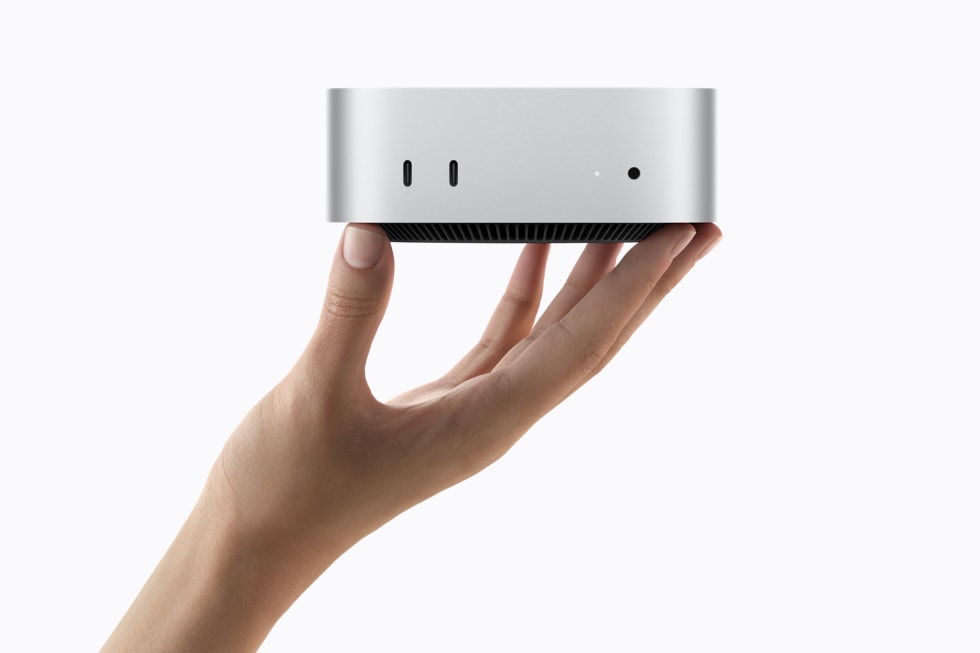
If your M4 feels fast, keep it. Upgrade for a bottleneck you can name.
I use a base M4 Mac mini for writing, website work and photo editing, and that remains my hands-on reference. I have not tested the M6 or M5 Pro. For ordinary browsing, office work and light creative use, a working M4 is still a capable desktop; the M6 is a clearer choice for someone buying new, while M5 Pro is for a sustained workload, memory need or Thunderbolt 5 setup that the M4 cannot comfortably handle. Do not pay for a chip generation until you can point to the time, memory or connection limit it solves.
This is a specification-based comparison, not a benchmark or hands-on review of M6/M5 Pro. Apple’s performance statements are manufacturer claims from selected test workloads. I use an M4 Mac mini for writing, site work and photo editing. Specs checked against Apple Support on 5 October 2026; Amazon search links are not confirmed individual configurations, and pricing changes.
As an Amazon Associate I earn from qualifying purchases.
| Choose this if… | What it adds or keeps | Check before buying |
|---|---|---|
| Keep your M4 | It still handles your apps, projects and connected devices without regular slowdowns | Memory pressure, free storage, export/render time and the specific task you want to improve |
| Choose M6 | New system purchase for everyday use; 12-core CPU/GPU, Wi-Fi 7, Bluetooth 6 and 2.5Gb Ethernet | 16GB base memory, Thunderbolt 4, and whether its upgrade over your M4 matters to your workflow |
| Consider M5 Pro | 24GB base memory, Thunderbolt 5, 307GB/s memory bandwidth and higher CPU/GPU tier | Whether sustained work, larger memory needs, fast storage or supported displays justify the price |
| Buy used/refurbished M4 | Potentially lower cost while keeping a recent, capable computer | Warranty, return window, exact memory/storage, condition and total price against a new M6 |
Start with the slowdown, not the chip name
For a week, note what actually interrupts your work: apps swapping memory, a full internal drive, long exports, an external SSD bottleneck, too few ports, or a display setup the Mac cannot drive. If none of those happens, the M4-to-M6 jump may be difficult to notice in your day-to-day work. A new number on the box is not itself a useful upgrade reason.
On your M4, open Activity Monitor while doing the demanding task and check Memory Pressure and swap use. Check free internal storage too. If the issue is a full drive, moving an archive to external storage or choosing a different capacity may solve more than replacing the computer. If the issue is a dock or display, map the ports and display requirements before selecting a chip.
What changed from the M4 to M6
Apple lists the base M4 with a 10-core CPU/GPU, 120GB/s memory bandwidth, 16GB unified memory and three rear Thunderbolt 4 ports. The M6 moves to a 12-core CPU/GPU, 16GB base memory and 153GB/s bandwidth at the base configuration; the 24GB and 32GB memory options are listed at 170GB/s. Both generations offer up to three external displays, but the supported resolution and refresh-rate combinations differ, so verify your exact screens in Apple’s display support tables.
The new M6 also adds Wi-Fi 7, Bluetooth 6 and 2.5Gb Ethernet as standard (configurable to 10Gb), compared with Wi-Fi 6E, Bluetooth 5.3 and Gigabit Ethernet on the M4. These are useful only when your router, network, accessories and workflow can use them. Apple advertises maximum performance improvements for selected test cases; those numbers are not a prediction for every app or for an M4 owner’s everyday experience.
When M5 Pro is the more meaningful step
The Pro model is not simply the next tier for everyone. Its 24GB starting memory, configurable 48GB or 64GB, 307GB/s bandwidth and three rear Thunderbolt 5 ports matter most when projects are sustained and memory-heavy, or when your storage and display chain can use Thunderbolt 5. If your current task fits comfortably in 16GB and finishes quickly enough, those specification gains may not change your result enough to justify a premium.
Compare the complete configuration rather than the chip alone: memory and storage are fixed at purchase, while external drives and docks add their own cost. The M5 Pro starts with more memory and 512GB storage; the M6 starts at 16GB and 256GB. Add the memory/storage tier you actually need to each cart before deciding.
A useful upgrade rule for current M4 owners
Keep the M4 if it is responsive, has enough memory and storage, and supports your display and peripherals. Consider M6 when a measurable CPU/GPU task or the newer networking addresses a real limit—and the expected time saved matters more than the purchase cost. Consider M5 Pro when you can specifically use its larger memory ceiling, sustained performance tier or Thunderbolt 5 connections.
If you are buying your first Mac mini, compare the M6 and M5 Pro on the same memory and storage needs, then include a monitor, keyboard, mouse, dock and backup drive only if you need them. I reuse my existing desk gear with the M4; the Mac mini desk setup checklist helps total those costs, while the storage and ports guide maps drives and connections.
Before you trade in or sell the M4
Write down the exact model, memory and SSD capacity from About This Mac, and check the current resale/trade-in value only after deciding which replacement configuration you need. Back up and verify your files before migration. Keep the M4 until the new computer is set up and your apps, photo library and external drives have been checked; that avoids turning a minor speed complaint into a rushed replacement.
The Amazon buttons below open generation-specific searches, not a verified exact listing. Confirm the chip, unified memory, SSD capacity, seller, condition and return terms on the product page. As an Amazon Associate I earn from qualifying purchases.
Product specifications
Check the manufacturer's current product pages for the exact sold configuration; the untested models above are compared from these published details.
Common questions
Is a Mac mini M4 still worth buying in 2026?
It can be, especially at a meaningfully lower price and with enough memory and storage for your work. Compare the exact configuration, condition, warranty and price with a new M6 before choosing.
Should I upgrade from M4 to M6 for Apple Intelligence or AI?
Do not upgrade based on a broad AI claim alone. Identify the specific app and feature you use, its memory needs and whether it runs locally; Apple’s maximum performance claims do not guarantee a particular app-level gain.
Is M5 Pro worth it over M6?
It may fit sustained creative or compute-heavy work, larger memory needs and Thunderbolt 5 storage/display setups. For everyday work, compare the full configuration and price before paying for the Pro tier.
Can I upgrade the Mac mini M4 memory later?
Unified memory is part of the computer configuration; choose enough at purchase. External storage can expand file capacity, but it does not replace unified memory.
As an Amazon Associate I earn from qualifying purchases.