
Mac desk setup
Mac mini desk setup 2026: what to buy, reuse and budget for
A practical Mac mini desk checklist for the computer, display, keyboard, mouse, storage and ports—grounded in a Mac mini M4 setup, with current M6 and M5 Pro specs clearly identified.
By WannabeShepherd · · Updated
Start with the screen and workflow, not a pile of accessories
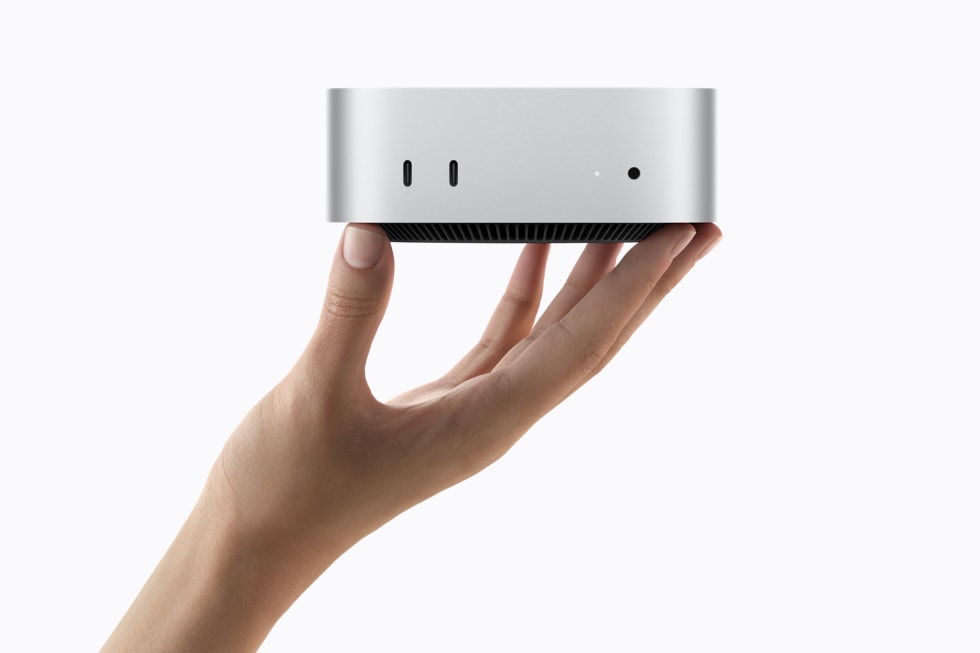
The Mac mini is only the start of a desktop setup: Apple includes the computer and power cord, while the monitor, keyboard, mouse and most adapters are separate. I use an M4 Mac mini for writing and photo editing. For the 2026 M6 and M5 Pro, this guide combines Apple’s published specifications with that real-world setup context; I have not tested the new models.
Hands-on context: my Mac mini M4 is used for writing, site work and photo editing, with the reviewed Keychron K5 QMK V2 and NuPhy Air75 V3 keyboards. Current Mac mini M6 and M5 Pro details below are manufacturer specifications checked 5 October 2026, not hands-on test results. Prices and Amazon search results can change; verify the exact chip, memory, storage and seller.
As an Amazon Associate I earn from qualifying purchases.
| Decision | A sensible starting point | When to spend more |
|---|---|---|
| Computer | M6 Mac mini for everyday work; compare M5 Pro for heavier sustained creative tasks | Choose the Pro tier only when its extra performance and Thunderbolt 5 solve a real workload or device need |
| Display | A compatible 4K screen is enough for many desks; use the existing display if it meets your needs | Compare 5K/6K only if text sharpness, color workflow or resolution justifies the premium |
| Keyboard and mouse | Reuse Bluetooth or USB gear first | Buy for layout, comfort, Mac key placement and the connection you need |
| Storage | Choose internal capacity for apps and active files; keep a separate backup | An external SSD helps with libraries and projects, but is not a backup by itself |
| Ports | Map each device to HDMI, Thunderbolt/USB-C and front USB-C before buying | Add a hub only to solve a specific shortage; check speed, power and display support |
What actually comes in the box?
Apple lists the Mac mini and a power cord. A display, keyboard and mouse are not included. Treat the full desk cost as the computer plus whatever you still need—not as a bare Mac price plus an assumed bundle. Before shopping, list the monitor, input devices, camera/audio gear, external drives and cables you already own.
The new M6 Mac mini has three rear Thunderbolt 4 ports, HDMI and two front USB-C ports that support USB 3 up to 10Gb/s. The M5 Pro version moves to rear Thunderbolt 5. That matters if you have a fast external drive or a display chain that needs the higher interface bandwidth; it does not make every accessory faster.
Pick a monitor by the work you do
For writing, browsing and general work, a good 4K monitor may be a better use of money than chasing a premium 5K/6K panel. On a Mac, compare resolution at the actual size and viewing distance, pixel density, text scaling, brightness, color coverage, refresh rate and the cable/port needed. Our 5K and 6K Mac monitor guide compares the expensive choices; the Studio Display vs Studio Display XDR guide focuses on when the extra display features matter.
If you already own a display, test it first. Check that the exact Mac mini configuration supports its resolution and refresh rate, then confirm that your cable carries the signal you want. Apple’s M6 model supports up to three external displays, subject to each display’s resolution and refresh-rate combination.
Reuse input devices unless a real friction point appears
I use a full-size Keychron K5 QMK V2 when I want a numpad and a compact NuPhy Air75 V3 when desk space matters more. My keyboard comparison is based on the reviewed units; it is not a claim that either is the right choice for everyone. If you already own a working keyboard and mouse, connect them before adding another line item.
If buying, check the layout and the Mac legends, whether you need a numpad, Bluetooth device switching, a receiver, wired use and charging method. A hub is useful when it fixes an actual port or cable problem. Avoid paying for a high-speed dock if your drives and workflow do not use those speeds.
If you have identified missing ports, use the Mac mini dock and SSD shortlist to compare specific hub, dock and storage options. Start with the connection you need rather than the most expensive dock.
How much internal storage should you buy?
Separate three jobs: the operating system and apps, current working projects, and a second copy of anything you cannot afford to lose. Internal storage is the convenient always-connected tier. External SSDs can hold photo libraries and project files, but a single external drive is still a single point of failure. Keep a second backup on another device or in a suitable backup service.
For photo work, estimate the current size of your library, likely annual growth and free space needed for exports and temporary files. Check the exact configuration’s memory and storage before ordering: the listing may show several combinations. I have not measured the M6 or M5 Pro against my M4, so I will not translate Apple’s headline performance claims into a specific editing-time promise.
Before choosing an external drive, work through the Mac mini storage and ports checklist. For a photo library, the Mac mini Lightroom setup guide separates working storage, exports and backup, with a USB connection check to read before buying a faster SSD.
A short shopping checklist
Write down the display model and target resolution/refresh rate; the keyboard layout; how many USB-A and USB-C devices you own; whether Ethernet matters; and the size of your working files. Then compare the M6 and M5 Pro only after these needs are clear. For premium display options, browse the 5K/6K monitor comparison.
The links above are Amazon searches or category listings, not guarantees of one exact configuration. Check the live listing for chip, RAM, storage, display stand, seller, return terms and delivery region. As an Amazon Associate I earn from qualifying purchases.
Sources and further reading
This guide uses the following manufacturer references and primary sources.
Common questions
Does the Mac mini include a monitor, keyboard or mouse?
No. Apple lists the Mac mini and power cord in the box. Plan separately for a display, keyboard and mouse unless you can reuse them.
Can the 2026 Mac mini run multiple displays?
Apple says the M6 model supports up to three external displays, with the maximum resolution and refresh rate depending on the specific combination. Check Apple Support for your exact setup.
Should I buy a Thunderbolt dock straight away?
Only if you can name the port, network or device problem it solves. First map your existing devices to the Mac mini’s built-in ports and check each accessory’s actual data and display requirements.
As an Amazon Associate I earn from qualifying purchases.