
MacBook Pro touchscreen
Touchscreen MacBook Pro: what can you actually do with it?
What Touch on the new PROLED MacBook Pro actually adds, which app updates are still coming, and how Apple says to deal with screen marks.
By WannabeShepherd ·
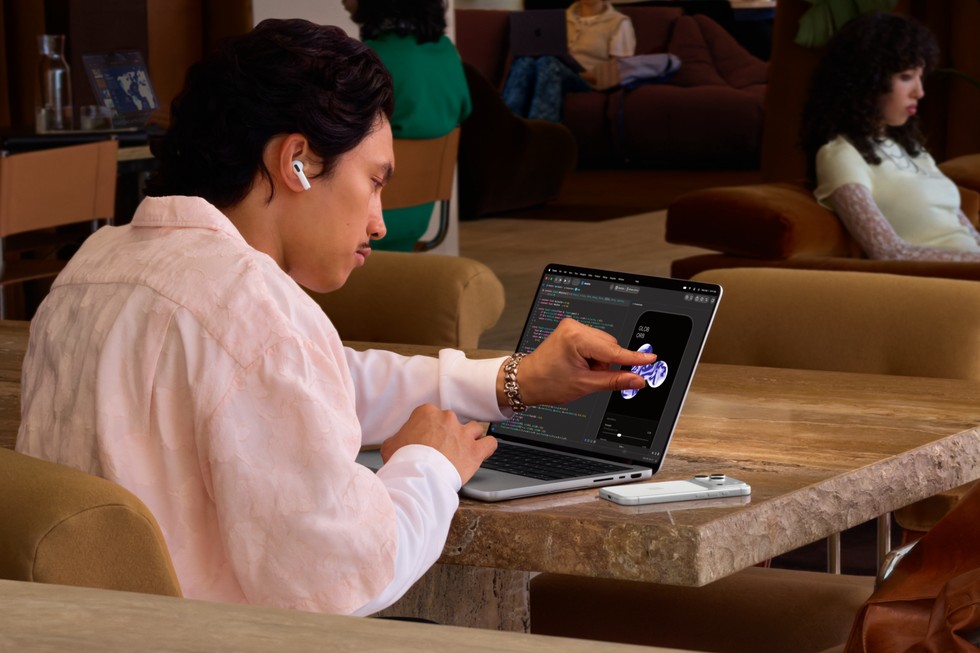
What would you use Touch for?
If your work involves zooming into photos, moving objects or adjusting onscreen controls, Touch gives you another way to do it. It is a weaker reason to upgrade if your laptop spends most of the day closed beside a monitor. Check the software you need before treating a touchscreen as a replacement for your existing tools.
Researched from Apple’s published specifications, checked 29 October 2026. I have not used the new models. Amazon links are affiliate links.
As an Amazon Associate I earn from qualifying purchases.
| What you want | What Apple documents | What to check |
|---|---|---|
| Everyday interaction | Scrolling, photo zoom and window gestures | Whether reaching for the screen suits the task |
| An existing Mac app | macOS translates touches into clicks | Its controls and your usual shortcuts |
| Dedicated third-party features | Named app updates are due later in 2026 | The developer’s released version, not just the demo |
Touch is an extra input, not a whole new way you have to work
The useful question is where your hand would go today. If you repeatedly zoom into an image to check a detail, touching that image could be handy. If you spend hours typing or working through keyboard shortcuts, there is no reason to abandon those habits. Apple keeps the keyboard and trackpad alongside the new screen controls.
I would think about one real job rather than a launch demonstration: selecting images after a shoot, arranging a presentation or changing a few mixer controls. Can touch remove an awkward step? Or would you be reaching over a keyboard to do something the trackpad already handles comfortably? That is the distinction I would try in a shop.
Check the app you use, not just the name on Apple’s list
An app accepting a tap is different from an app offering useful gestures for its particular tools. Apple names Lightroom, DaVinci Resolve and other third-party apps, but the announcement’s footnote puts those updates later this year. The laptops are due November 6, so check the released app version before planning a job around a demonstrated feature.
Before buying, look for the feature in the app’s current release notes and check any subscription or version requirement. If a particular tool is the reason for upgrading, wait until you can see that tool working. General click compatibility does not tell you whether small controls will be pleasant to operate with a finger.
What about fingerprints?
Apple lists a fingerprint-resistant oleophobic coating on both sizes. That is useful to know, but it does not mean marks can never appear. When trying a display, check a dark image as well as a white page: the surface needs to be pleasant to use with the content you actually work on.
For nano-texture, Apple’s October 22 cleaning instructions allow its polishing cloth, microfiber made for electronic displays, or a cotton/Elastane blend. For infrequent stubborn marks, it allows the cloth to be moistened with 70% isopropyl alcohol. The older advice that only Apple’s cloth is permitted is out of date. Keep an appropriate clean cloth with the laptop rather than grabbing whatever is in a camera bag.
Make sure you are shopping for the touchscreen model
The PROLED models have Touch; the M6 Liquid Retina model is a different purchase. Our M6 versus PROLED comparison separates them. The Amazon links here identify the new 14.2-inch and 16.3-inch M5 Pro models, both in Space Black with 24GB memory and 1TB storage. Check that the selected variant still matches before ordering.
If Touch appeals but reflections worry you, the next decision is standard versus nano-texture glass. Choose those separately: wanting a touchscreen does not automatically mean you need the more expensive finish.
Sources and further reading
This guide uses the following manufacturer references and primary sources.
As an Amazon Associate I earn from qualifying purchases.